
Resources · Blog · Smart Hands
What Are Smart Hands Services and When Do You Actually Need Them?
A practical explanation of Smart Hands: on-site IT tasks that remote support cannot finish, how visits should be scoped, and when to use them instead of a full project hire.
January 19, 2026 · 6 min read · Carlos Sanchez
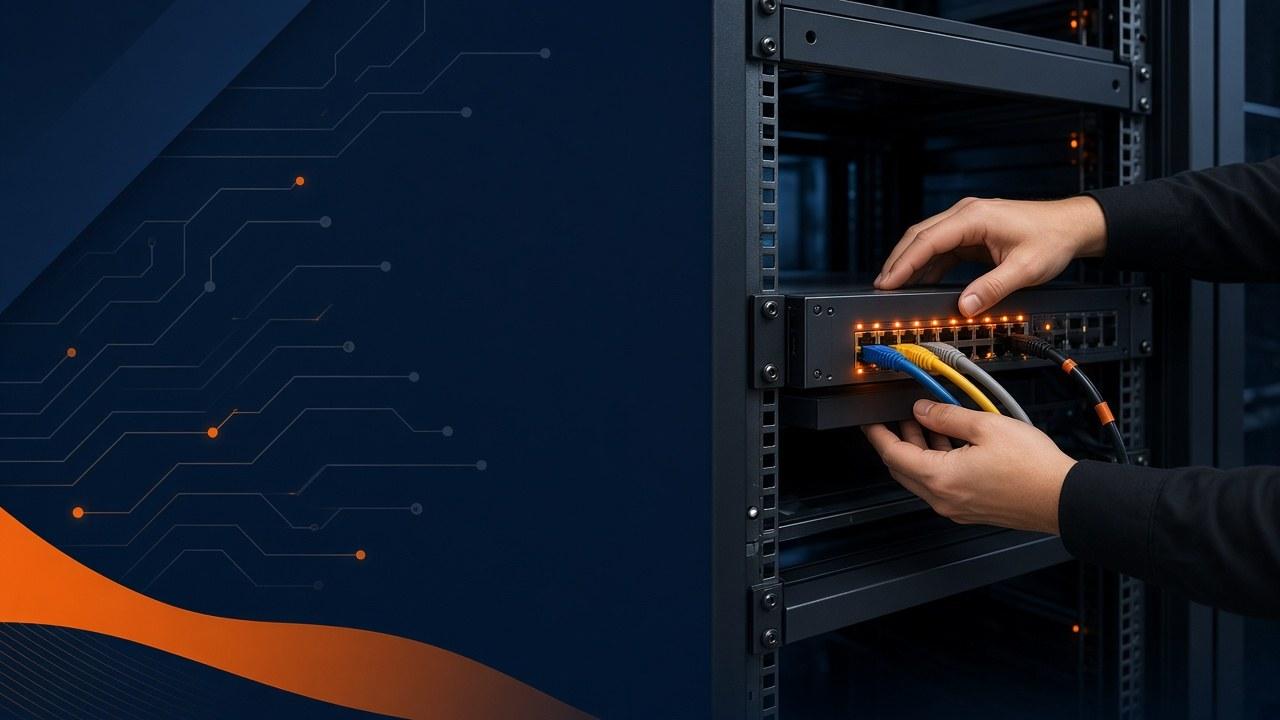
When the ticket needs a human in the closet
Remote support closes a lot of real work. Passwords. Software. Mailbox rules. Then you hit the other pile: a dark switch, a half-seated cable, an ISP tech waiting in the lobby, a TV that only works if someone holds the HDMI at a lucky angle.
Smart Hands is the boring, useful answer to that pile. Someone shows up for a defined task, often while a remote engineer drives configuration. Not a full-time hire. Not a vague promise to "come fix IT."
Here is how to tell when you need it, how a visit should be scoped, and when you should stop buying visits and start a project instead.
What the visit is usually for
Exact menus vary by provider. In practice, useful Smart Hands work falls into a few buckets. The common thread is a clear task with a clear finish line.
- Hardware installs and swaps: workstations, docks, monitors, printers, access points, switches, and firewalls.
- Data center or closet work: racking, un-racking, cable runs, labeling, and assisting a remote engineer who needs eyes and hands on gear.
- Break/fix on site: power cycles with verification, reseating components, replacing failed disks or PSUs when parts are ready.
- Office readiness: staging new desks, verifying network drops, and confirming phones or printers after furniture moves.
- Guided changes: following a remote team’s runbook while providing photos, readings, and confirmation that steps completed.
- Carrier or vendor escort: meeting an ISP or OEM tech, opening the right cabinet, and confirming handoff behavior before anyone leaves.
When it is the right tool
Use Smart Hands when remote work has already hit a wall, or when you know in advance that the task cannot be done without physical access.
Good triggers include a remote IT team with no local staff, a hardware failure that is blocking a department, a short-notice office change, a closet cleanup before an audit, or a cutover that needs someone present while the remote engineer drives configuration.
It is usually the wrong tool when the real need is ongoing helpdesk coverage, a full network redesign, or a multi-site project with many unknowns. Those deserve a managed agreement or a scoped project, not a series of ad-hoc visits that pretend to be a plan.
A useful question: “If a skilled person were on site for two hours with the right parts and access, would this be finished?” If yes, Smart Hands is likely the fit. If the answer is “we still need to redesign VLANs and buy unknown gear,” you are in project territory.
The dead switch story
A helpdesk engineer remotes into a user’s PC and sees no network. Traceroutes fail. A colleague in another suite is fine. Someone eventually walks to the closet and finds a switch with no lights after a weekend power blip. Remote work could not finish that ticket. Smart Hands can: confirm power and UPS, reseat or replace the switch, verify uplinks, and leave a photo of the corrected patching.
The wasted time was not the on-site hour. The wasted time was three remote sessions pretending physical presence was optional.
What a decent visit looks like
Quality shows up in the scoping, not in the slogan. If intake is vague, the visit becomes a fishing trip billed as urgency.
- Clear intake: what is broken or requested, site address, access instructions, and what "done" looks like.
- Parts and prerequisites confirmed before travel when possible.
- Arrival window communicated to the person with keys or badges.
- Work completed against the scope, with a call-out if unexpected issues appear.
- Notes and photos left for the next technician or the remote team.
- A short closeout: what changed, what remains, and whether monitoring should expect a new device or IP.
Do not mix the three models
Managed IT support covers recurring tickets, monitoring, and stewardship of the environment. Projects have a defined start, design decisions, and a finish line. Smart Hands sits between them as tactical field capacity.
Many businesses use all three over a year: managed coverage for daily needs, Smart Hands for physical tasks, and projects for upgrades or office moves. Confusing them creates either overpaying for standing capacity you do not need, or underpaying and living in emergency mode.
If you already have a remote MSP and only need local hands, say that clearly. If you need both remote stewardship and local execution, ask how escalation between queues works so tickets do not bounce forever.
Scope before anyone drives
Smart Hands works best when both sides agree what is included in the visit. Travel window, on-site time, parts handling, and what happens if the scope expands should be clear before arrival.
A healthy pattern is fixed-scope visits for defined tasks, with an explicit conversation if the technician discovers a larger issue. That conversation protects you from silent scope creep and protects the technician from being asked to redesign a network in the last twenty minutes of a swap.
- Ask what the visit includes if parts are delayed or access is wrong.
- Ask how notes and photos are delivered after the visit.
- Ask whether remote engineers can join live during the visit when configuration is required.
- Ask how after-hours or building-restricted access is handled.
If you are calling every week
Some offices need occasional visits. Others discover they are scheduling Smart Hands so often that the real need is managed coverage plus planned on-site capacity. Frequency is a signal.
If you are calling for on-site help every week for the same class of issue (printers, closet chaos, conference rooms), zoom out. A short roadmap item may eliminate the recurring fire better than another ad-hoc visit.
Conversely, if your remote MSP is solid and you only need local hands a few times a year, Smart Hands is often the honest fit. You do not need to buy a larger package to feel legitimate.
Site prep that finishes the job
A surprising share of failed on-site visits are logistics failures, not technical failures. The technician arrives and cannot enter the suite, cannot find the closet key, or discovers the replacement part is still at a different office.
Spend five minutes on access before the calendar invite goes out. Name the person with badges. Confirm parking and after-hours rules. Put the closet location in the ticket, not in someone’s memory.
If a remote engineer will join, agree on the bridge link and who leads. Two people giving conflicting instructions over speakerphone is how simple rack work becomes a long afternoon.
- Badge or key holder named, with a backup contact.
- Parts on site or clearly delayed with a revised plan.
- Photos of the current state attached when useful (rack front, error lights, cable mess).
- Definition of done written in one or two sentences.
Plain definition
Smart Hands is scoped, on-demand, on-site technical execution. Someone shows up to complete a defined physical task, often while a remote engineer drives configuration. It is field capacity with a job list, not a vague promise to come fix IT.
That definition protects buyers. If a provider cannot state the task, the finish line, and the notes you will receive, you are not buying Smart Hands. You are buying hope with a travel charge.
Concrete task examples
Use concrete examples when scoping visits so estimators and technicians share the same picture.
- Swap a failed firewall and confirm handoff with a remote engineer on a bridge.
- Rack a switch, dress cables, label ports, and photograph the finished face.
- Replace a desktop, complete the agreed user setup steps, and verify print mapping.
- Meet an ISP tech, open the demarc path, and confirm link lights before anyone leaves.
- Rebuild a conference room USB and HDMI path and run a five-minute meeting test.
- Stage ten new desks after furniture install and verify drops and docks.
- Reseat or replace a failed disk or PSU when parts are on site and the procedure is defined.
- Inventory and label a messy closet as a scoped cleanup with before and after photos.
Intake that saves the drive
Good intake is a checklist. Five minutes of detail saves a wasted drive across Austin traffic.
- Site address, suite, parking, and after-hours rules.
- Badge holder name and backup contact.
- Task steps and definition of done in plain language.
- Parts status and serials if known.
- Remote bridge details if collaboration is required.
- Constraints: systems that must not be rebooted, landlord rules, quiet hours.
- Photos of the current state attached to the ticket.
- Severity and business impact so scheduling matches reality.
While someone is on site
Arrive in the window. Confirm scope on arrival. Call out discoveries before expanding work. Complete the agreed task or document why it cannot complete. Leave the site better labeled than you found it when labeling is in scope.
If a remote engineer is driving configuration, agree who leads. Dual conflicting instructions are how simple rack work becomes a long outage. Provide interim updates if the visit runs long or access fails.
Closeout your helpdesk can reuse
Closeout should include what changed, what remains, photos, serials, and whether monitoring should expect a new device. Deliver notes where the helpdesk actually looks.
Owners should be able to forward closeout to a remote MSP without translating hallway conversation. If a follow-up visit is needed, the next job list should start from this package, not from zero.
How people buy this without surprises
Ad-hoc visits fit rare tasks. Blocks of hours fit offices with recurring physical work. Bundling Smart Hands into managed IT fits teams that want one accountable path for remote plus on-site escalation.
Beware unlimited on-site language that is really best-effort. Ask for scheduling norms, typical arrival windows, and what happens when parts are not ready. Honest constraints beat impossible promises.
Escort and privacy constraints
Healthcare, legal, and financial offices should state escort and privacy constraints up front. Carrier techs should not roam unescorted in communications rooms. Temporary admin access should be revoked after the visit.
Photograph responsibly. Do not capture patient or client documents on desks in closeout photos. If your industry has vendor access logs, say so in intake so the visit plan includes them.
Austin-area scheduling realities
Traffic, building access, and summer heat affect windows. Multi-tenant risers create delays. Hybrid companies with strong remote MSPs still need local hands for closets and ISP meets.
Say which sites are in Austin, Round Rock, or nearby communities so travel expectations are honest. A same-day emergency visit and a scheduled Tuesday closet cleanup are different products even if both are Smart Hands.
A quick decision guide
Choose Smart Hands when a defined physical task finishes the work. Choose managed IT when you need ongoing tickets, monitoring, and stewardship. Choose a project when design decisions, multi-day sequencing, or unknown scope dominate.
Many businesses use all three across a year. Confusion happens when ad-hoc visits pretend to be a redesign, or when managed tickets pretend physics is optional.
- Remote can finish it: helpdesk.
- Hands on site can finish a defined task: Smart Hands.
- Design and sequencing required: project.
- Ongoing stewardship required: managed IT.
Remote MSP, no local staff
A cloud-first company has excellent remote support and zero local IT. A switch dies after a weekend power event. Remote sessions cannot create link lights. Smart Hands racks or replaces the switch while the remote engineer configures and verifies.
Without Smart Hands, the company waits on a generalist contractor who may not collaborate cleanly with the remote MSP. The collaboration model matters as much as the screwdriver.
When the same room keeps failing
If the same room fails every other week, repeated Smart Hands visits are a signal. Stabilize once with a known-good configuration note, cable labels, and a spare HDMI or USB path if needed. Then decide whether remaining work is a small project.
Smart Hands should not become a subscription to the same undiagnosed failure.
Explaining the spend to ownership
Leaders understand outcomes better than hourly mysteries. Report visits as tasks completed, time on site, discoveries, and avoided downtime when known. Tie recurring visit themes to roadmap items.
This keeps Smart Hands from looking random and shows when you should invest in a fix instead of another triage.
Common questions
Is Smart Hands cheaper than hiring staff? For occasional physical work, yes. For constant desk-side presence, you may need a different model.
Can Smart Hands replace managed IT? No. It complements remote stewardship.
What if scope expands mid-visit? Pause, estimate, and get approval.
How fast can someone arrive? It depends on parts, access, and schedule. Ask for realistic windows, not slogans.
Do we need to be present? Someone with access usually must be available; escorts matter in many buildings.
What should we receive afterward? Notes, photos, and a clear done statement.
Parts and prerequisites
Confirm model numbers, power needs, rail kits, patch cable lengths, and configuration backups before travel. A visit that discovers missing rails is still useful if discovery was expected; it is wasteful if everyone pretended the part was ready.
For user device swaps, confirm license moves, backup of local files, and whether the user must be present for MFA registration. Prerequisites belong in intake, not in the parking lot.
How to judge quality over a quarter
Track completed tasks versus revisits for the same issue, average time from request to schedule, closeout completeness, and how often visits convert into project quotes for good reasons.
Quality is not only speed. It is finished work with notes that make the next ticket cheaper.
Remote bridge patterns that work
The clean pattern is remote engineer leads configuration while Smart Hands provides eyes, hands, photos, and confirmation. Agree on the bridge, who speaks when, and what done means before arrival.
Avoid the anti-pattern where the on-site person improvises redesigns and the remote person discovers changes after the fact. Scope discipline is a safety feature.
What I tell owners in the first five minutes
If you can describe the task, the site, and what finished looks like, we can usually tell you whether this is a Smart Hands visit, a remote ticket, or a project. If you cannot describe those three things yet, start there. Scope is not bureaucracy. Scope is how you avoid paying for a fishing trip.
And if the same physical problem keeps coming back, do not buy the tenth visit as a personality trait. Fix the underlying mess, document it, and move on.
How we run these visits
At Cytrix Technologies, Smart Hands visits are scoped before arrival. We show up prepared, communicate if something unexpected appears, complete the agreed task, and leave notes so the next person is not starting from zero.
If you need on-site IT help for a defined job, send a short description of the task, site access details, and your definition of done. That is enough to decide whether a Smart Hands visit, a broader managed support conversation, or an IT relocation plan is the right path.